Designing the Reports feature on Dillali
Reports is a feature in the financial records-keeping app Dillali. It provides a more detailed information about our users’ financial transactions and enable them make informed decisions.
web app
mobile app
feature update
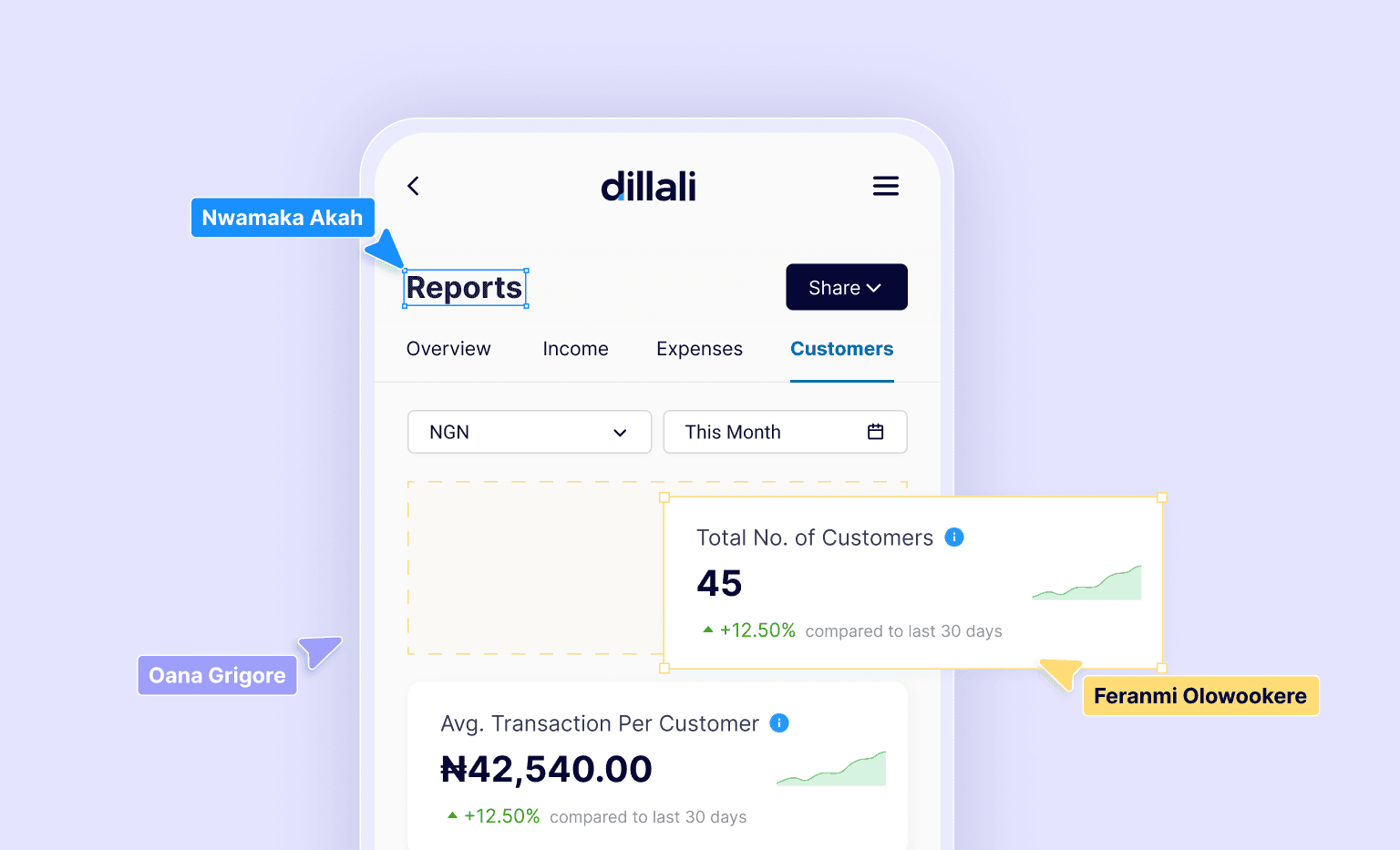
too long, won't read all of that
my Role(s)
Connected design decisions directly to user pain points.
Worked closely with the stakeholders to understand gaps in financial reporting.
Created wireframes that shaped the report structure and interactions.
co-conspirators
oana & feranmi
three key Results we achieved
While we didn’t run formal UX benchmarks, analytics and team feedback pointed to meaningful improvements in user flow completion, speed, and support burden.
Why we chose this feature?
It’s pretty simple. Feedback
As a product company, we understand how important feedback is to our product development. From our feedback analysis, we discovered the following key pain points:
Our users want to be able to make informed decisions in their business. To do this, they need more and detailed insights than we offer with our dashboards.
Because of the complexity of financial data, the business owner always relies on an accountant to get adequate information on their business.
Our journey from ‘To Do’ to ‘Done’
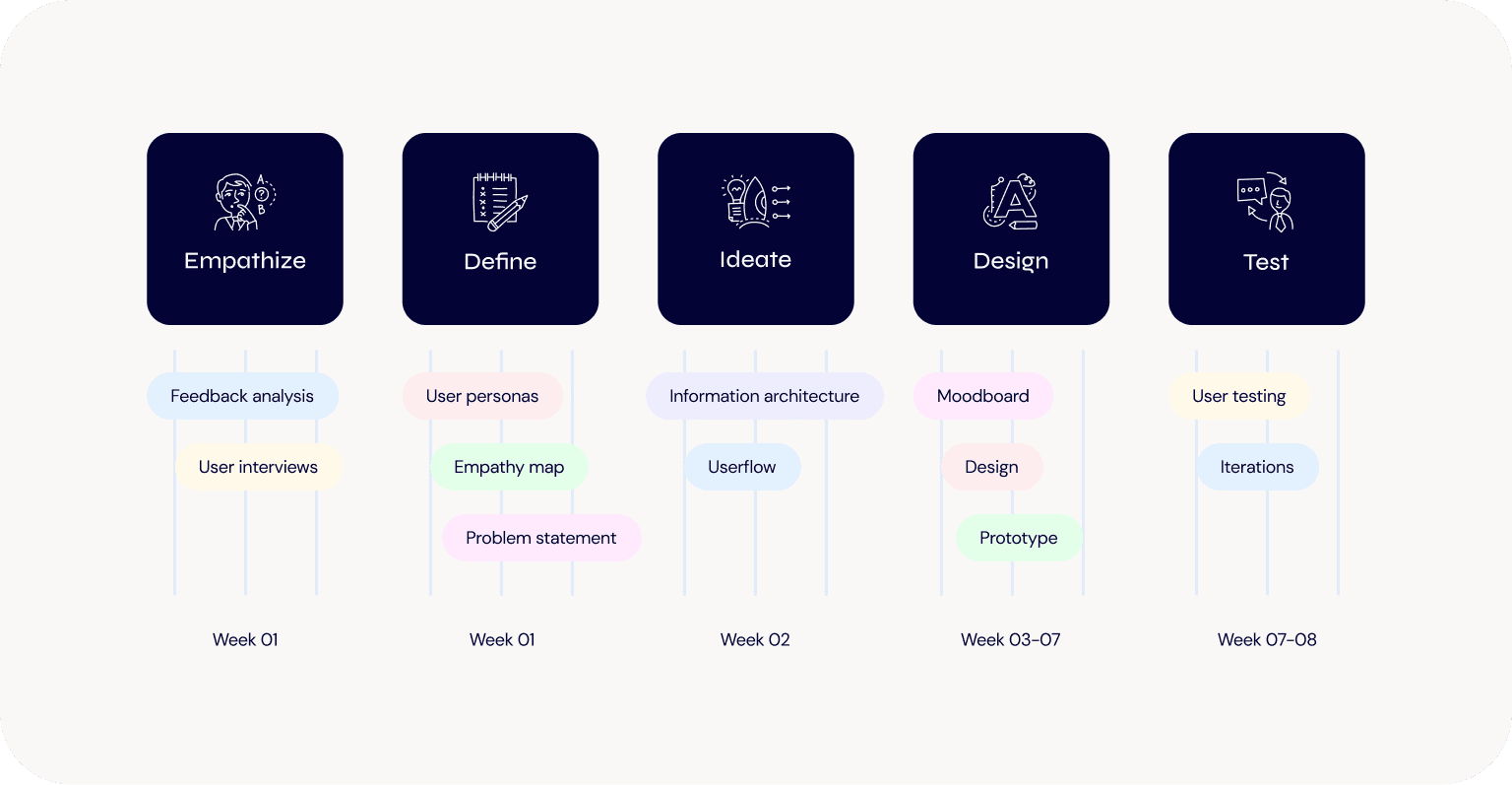
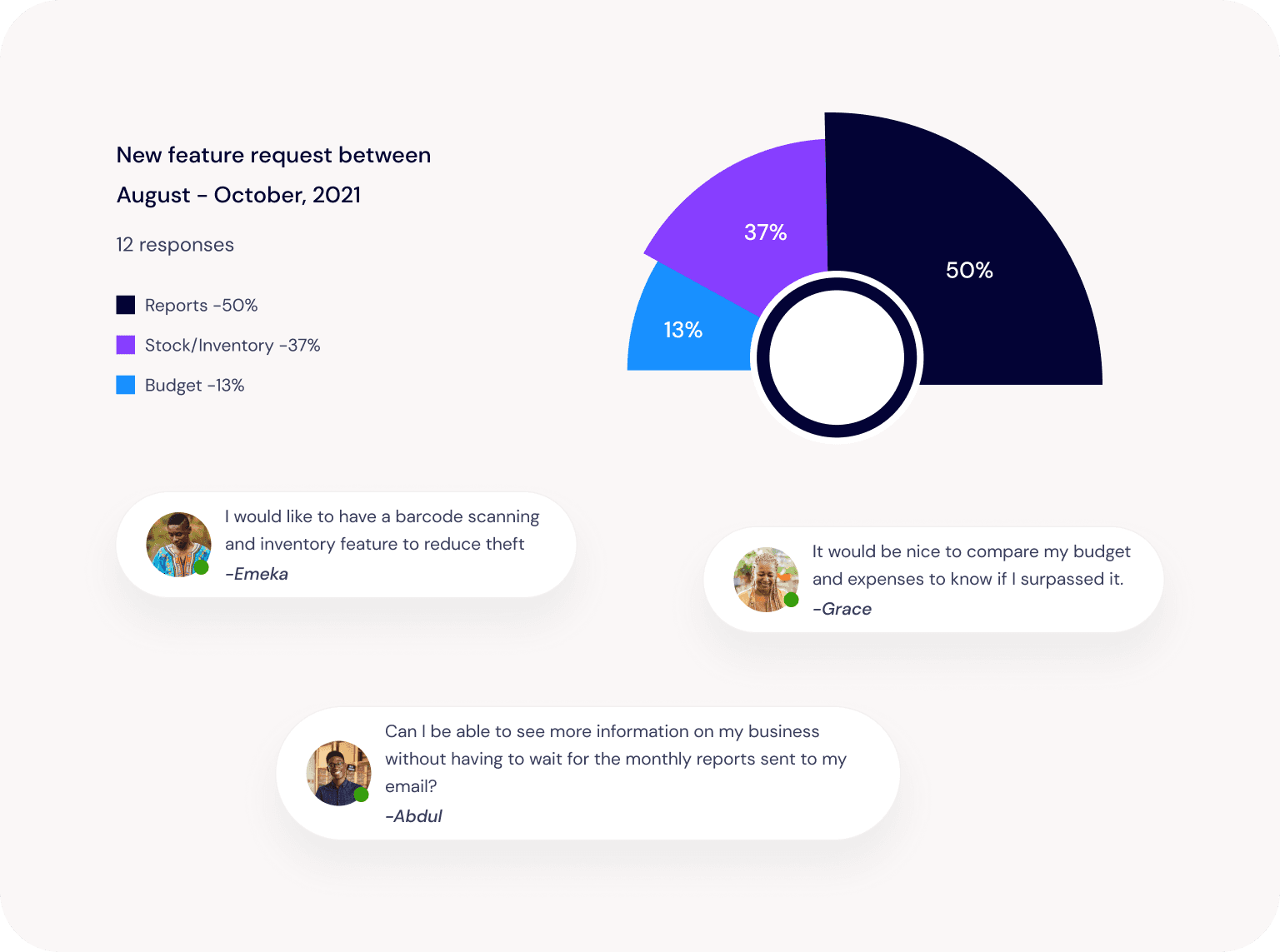
Feedback analysis
Messages from our feedback channels showed that our users were making requests based on their needs. We analyzed these requests, which helped us prioritize based on our users’ most immediate needs.
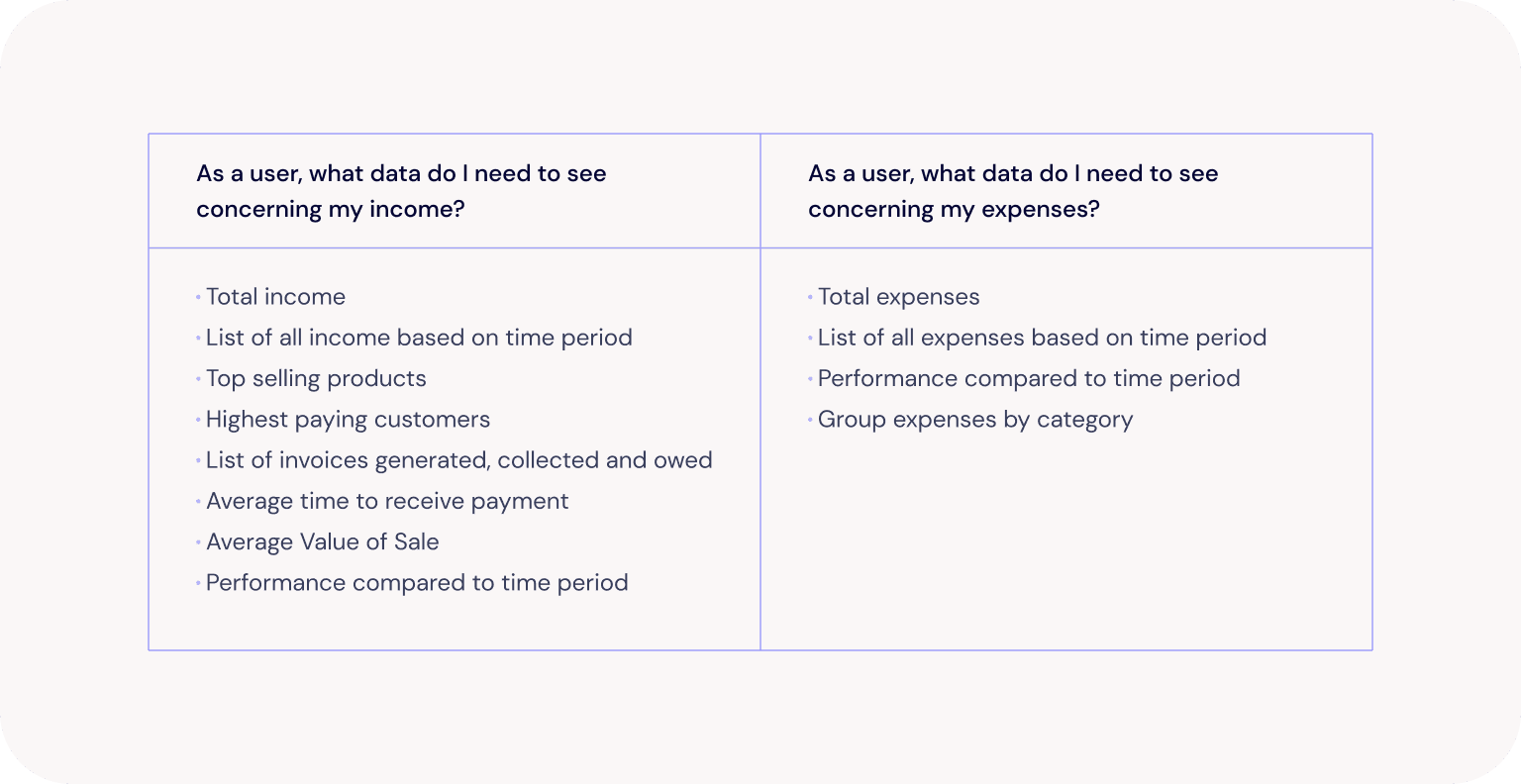
User interviews
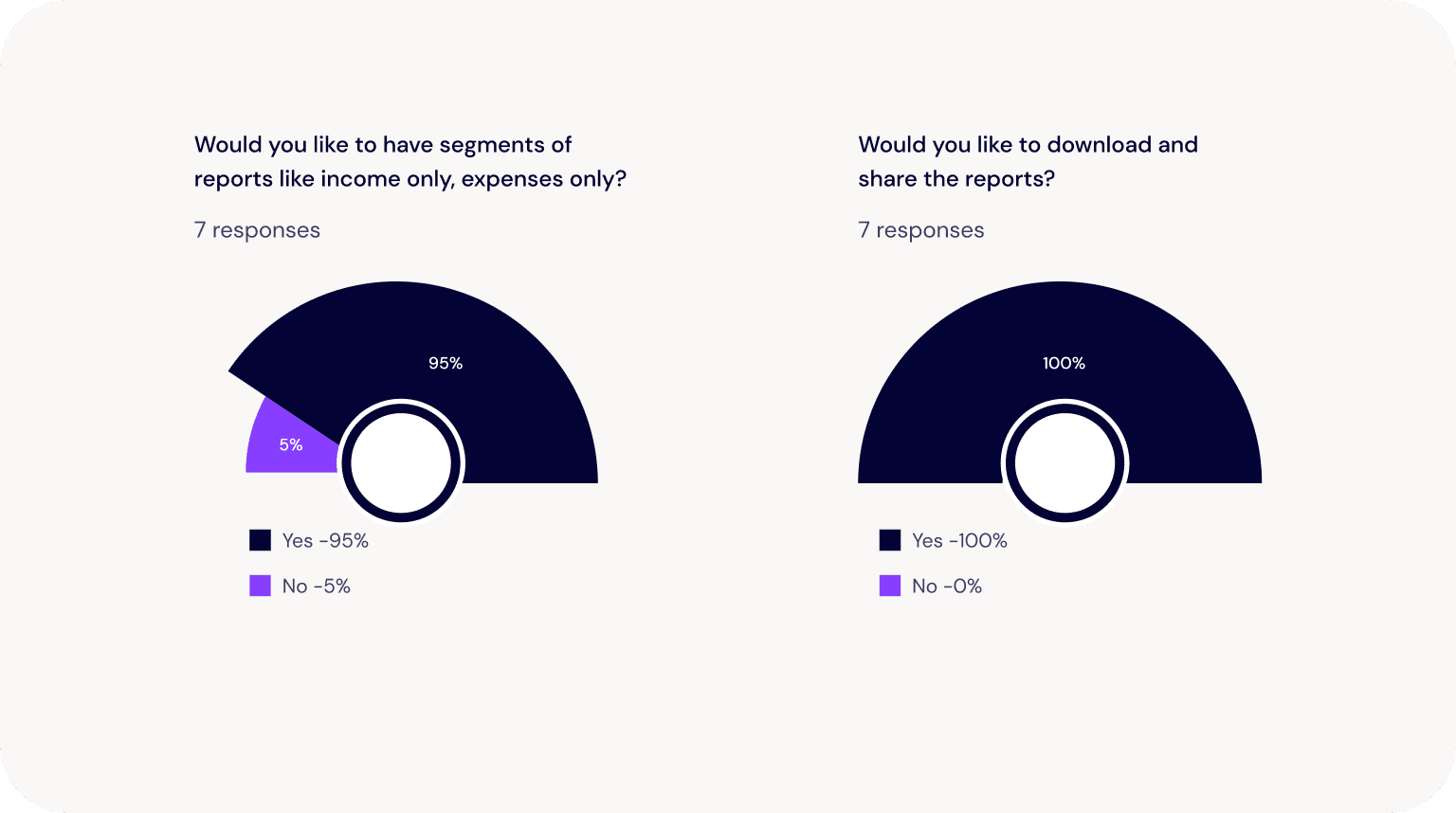
Once we settled on which feature to start with, we conducted interview sessions with some of our users to determine the type of data they would be looking to see in the reports feature. The following are some of our findings.
User persona
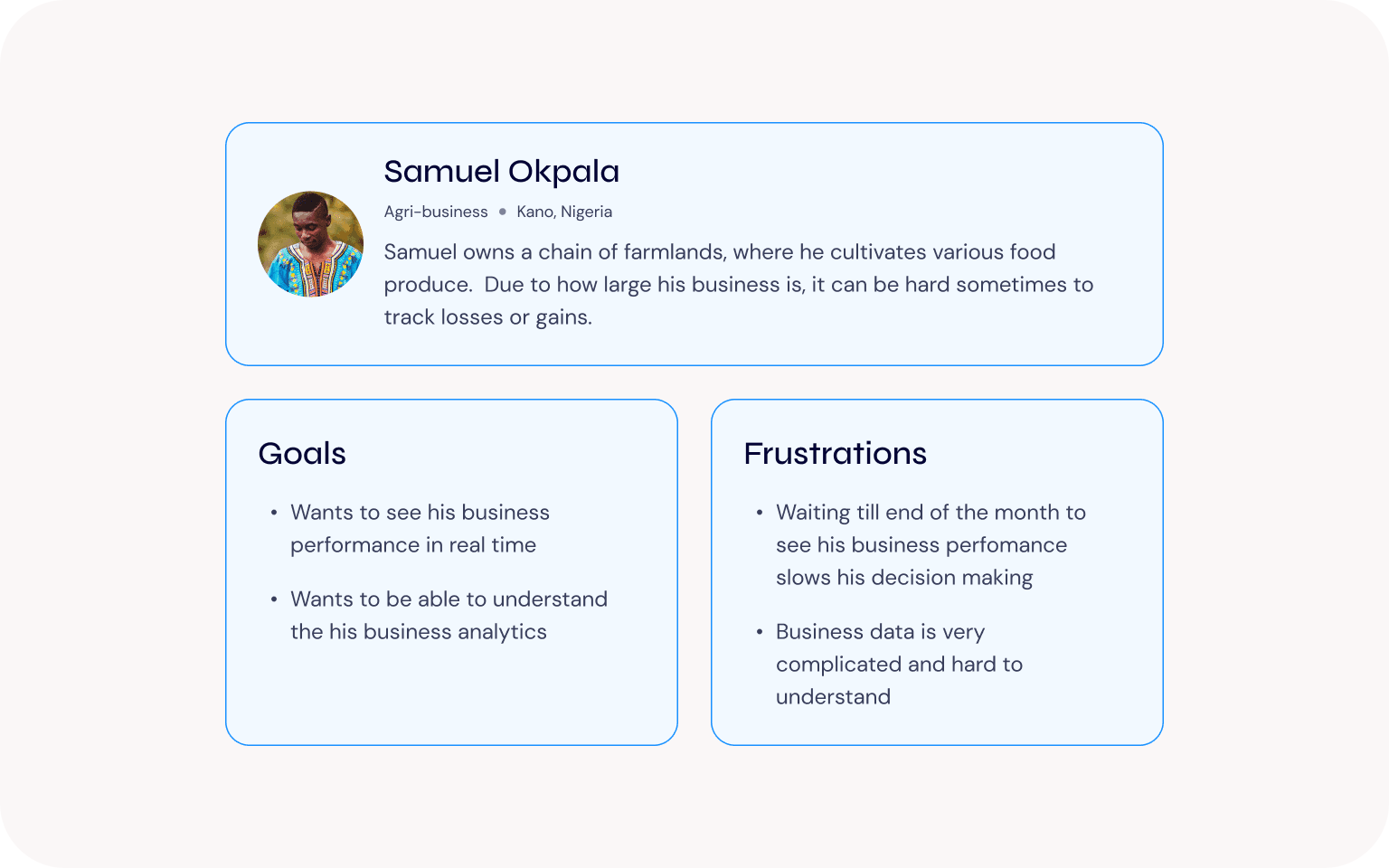
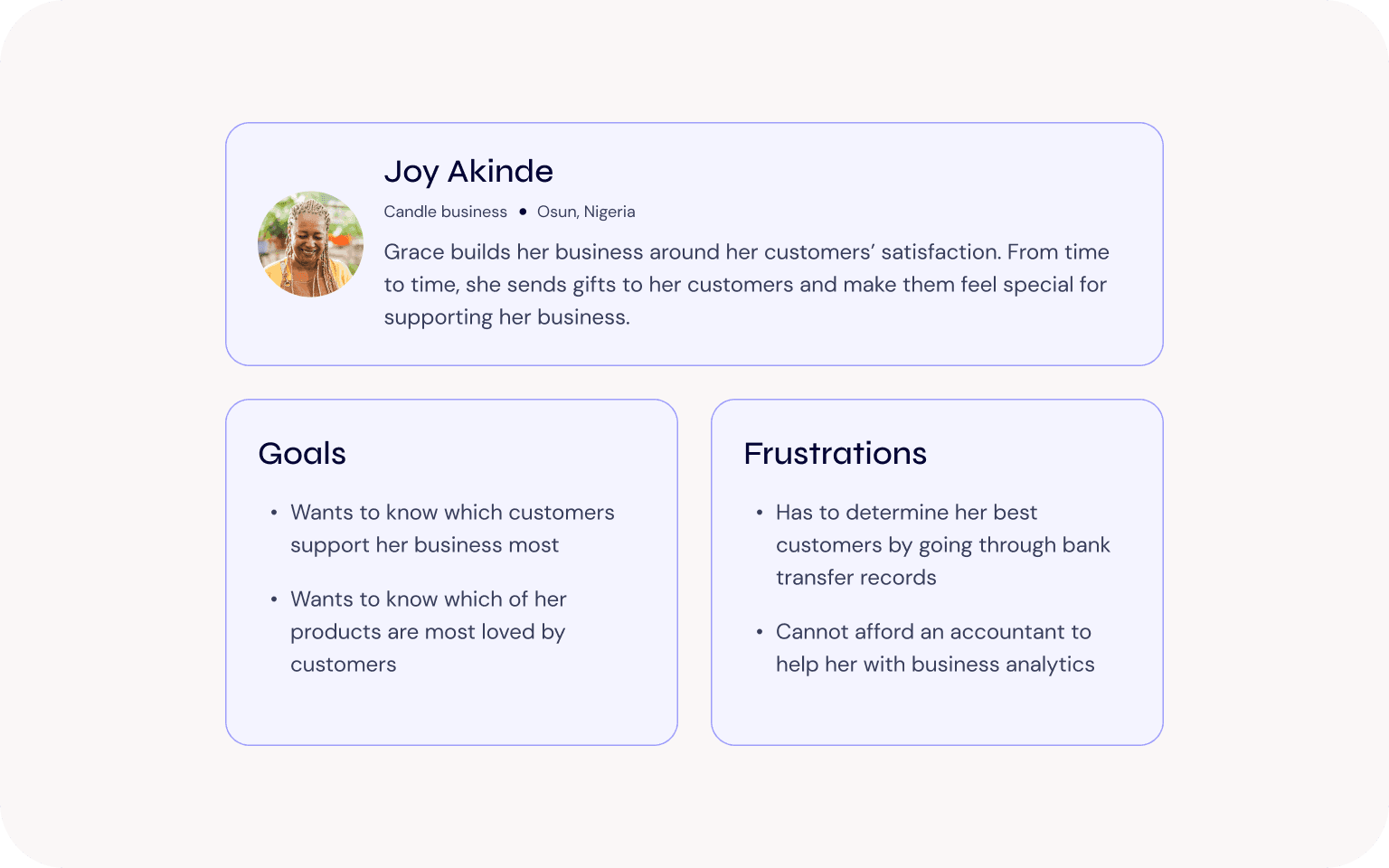
We created these personas to help us understanding our users’ goals and frustrations.
Information architecture
User flows
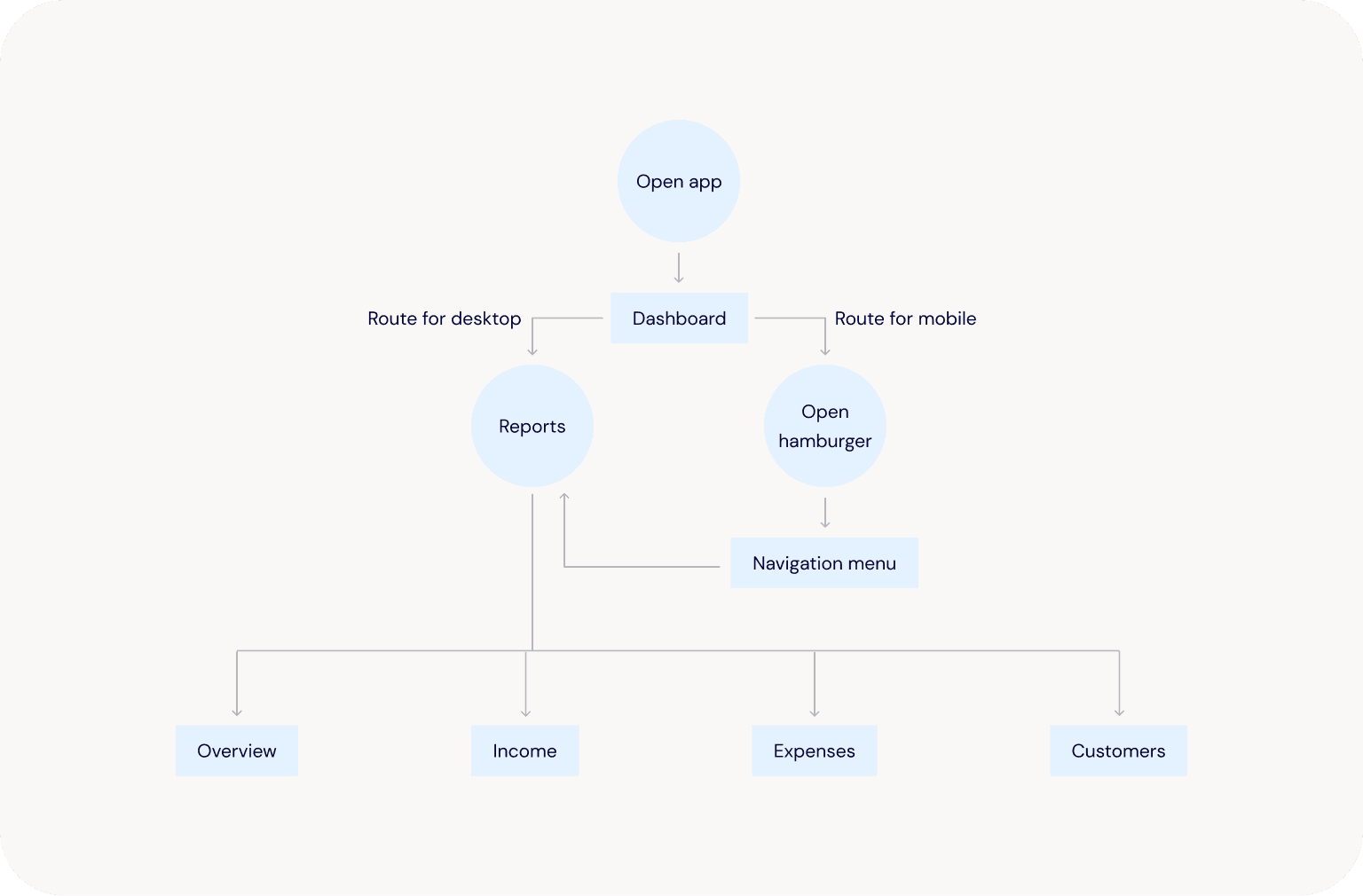
Flow 1: User wants to see their reports in real time
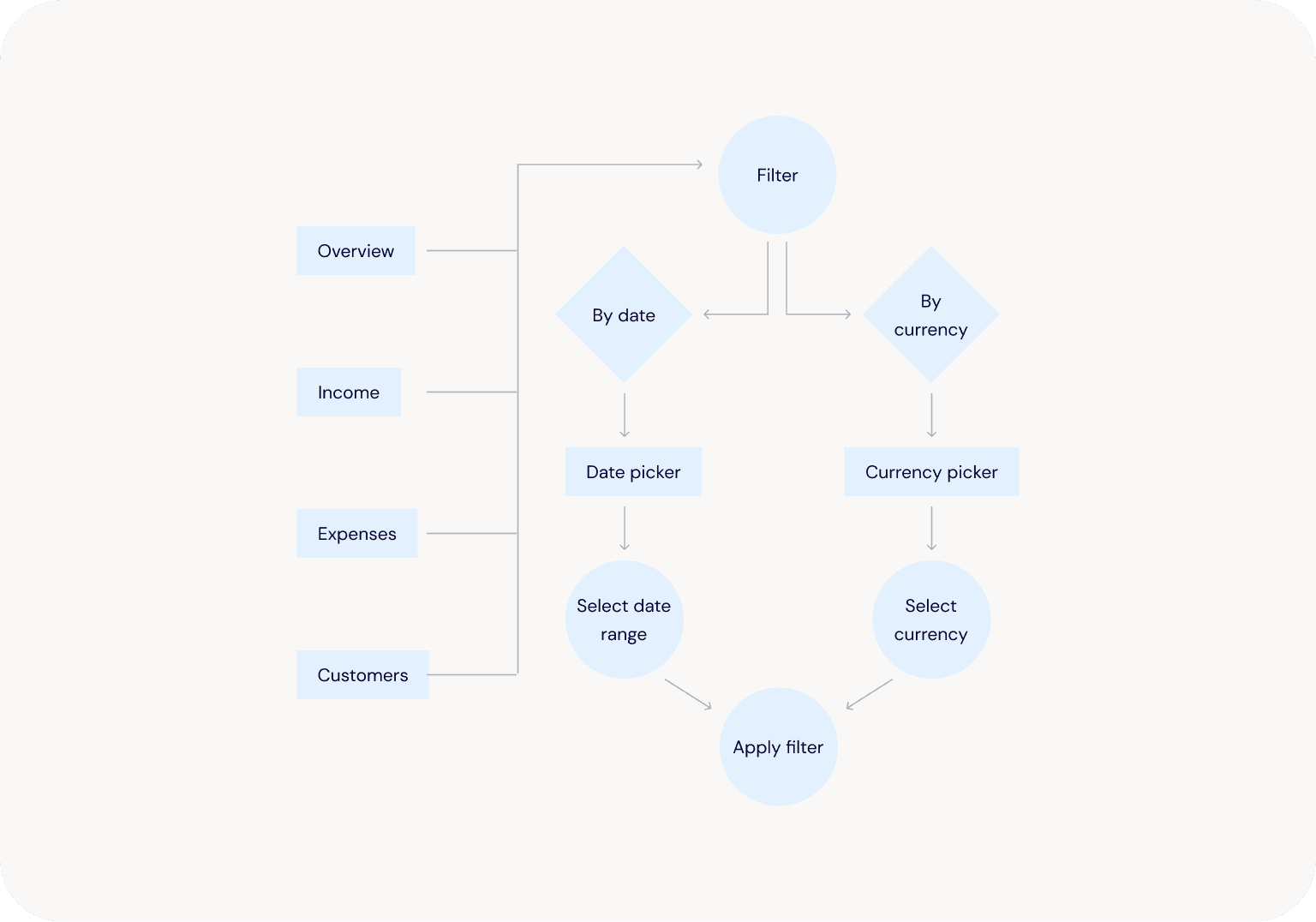
Flow 2: User wants to filter their reports to a specific timeline or currency
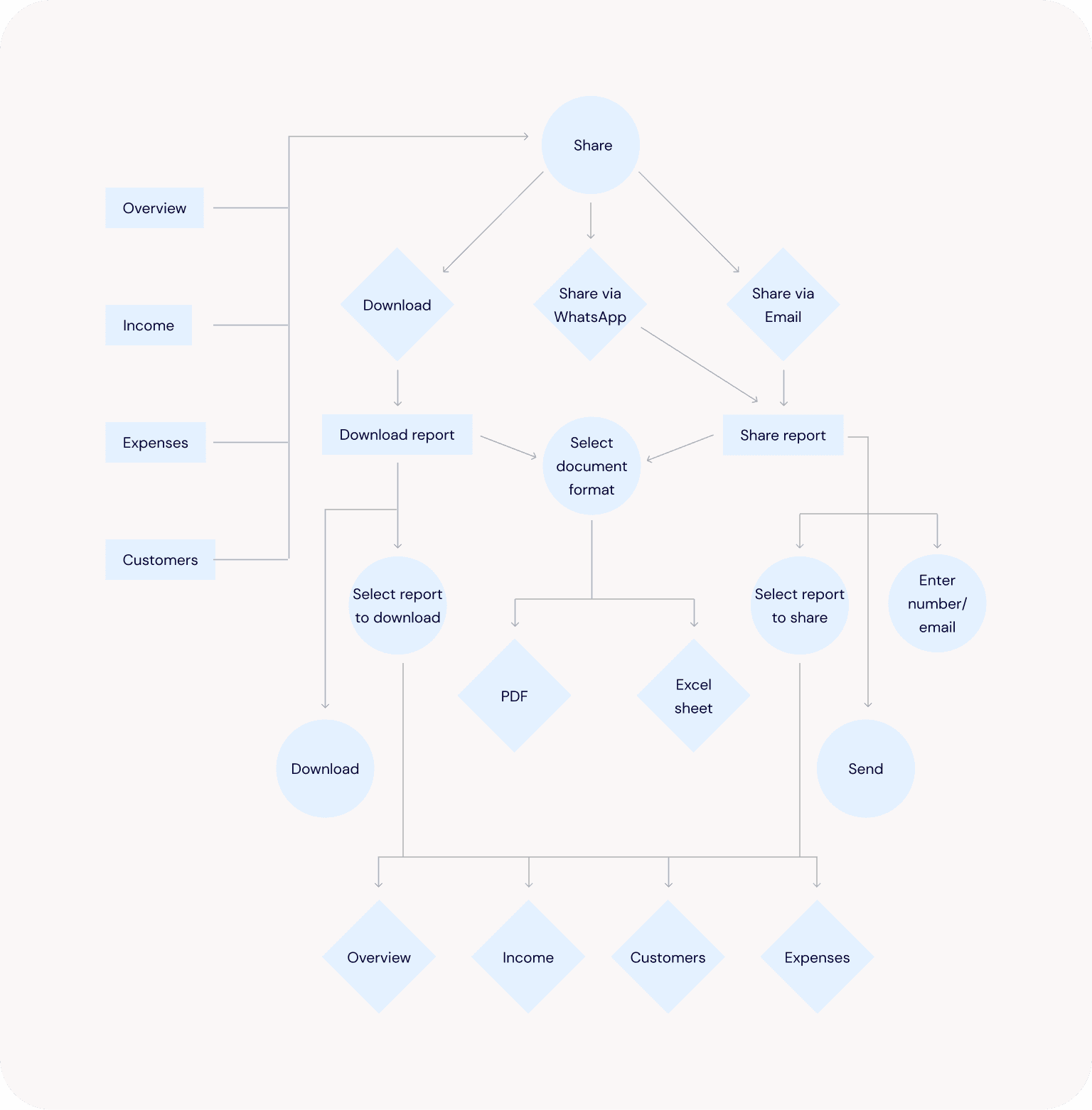
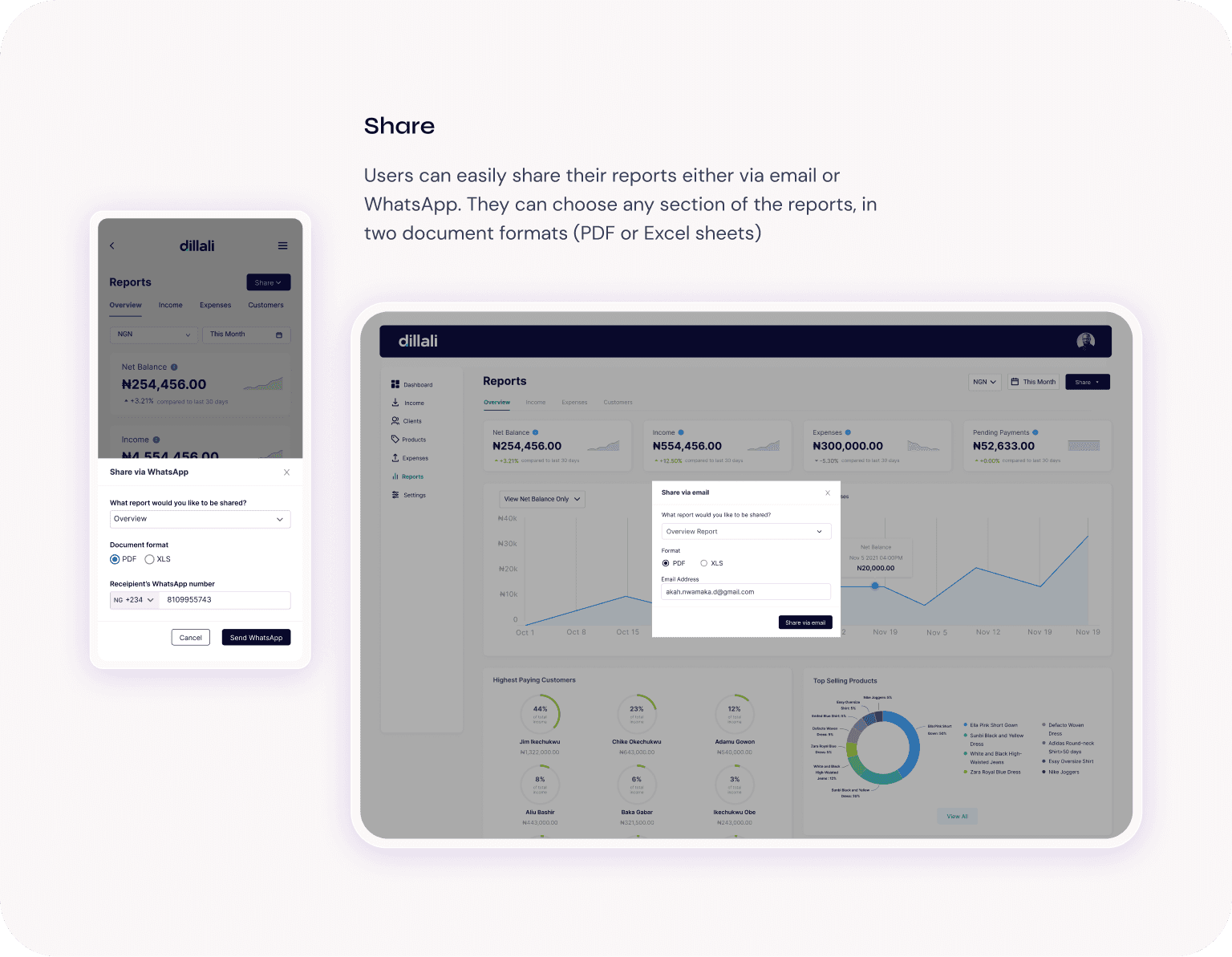
Flow 3: User wants to share and download their reports
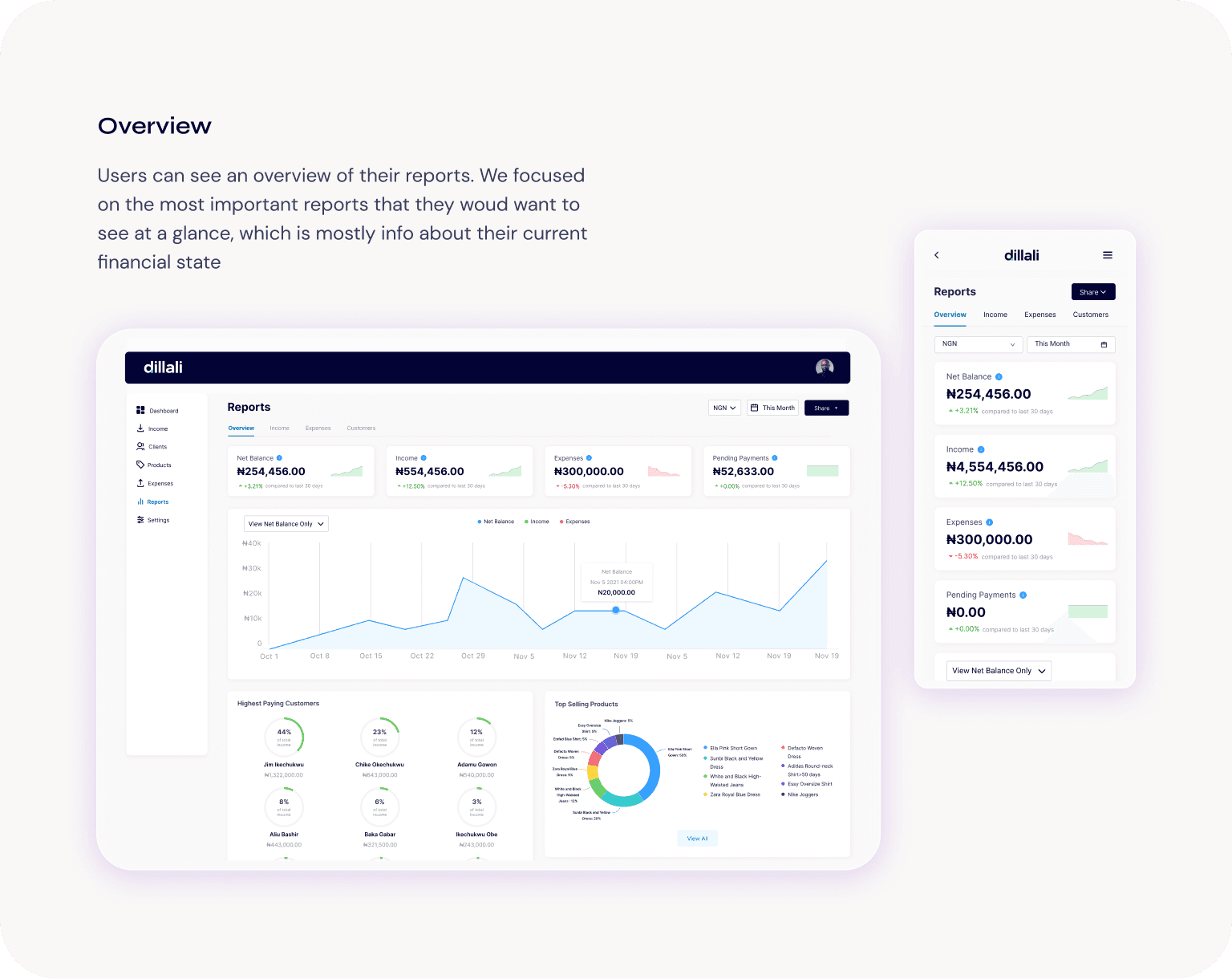
Visual designs
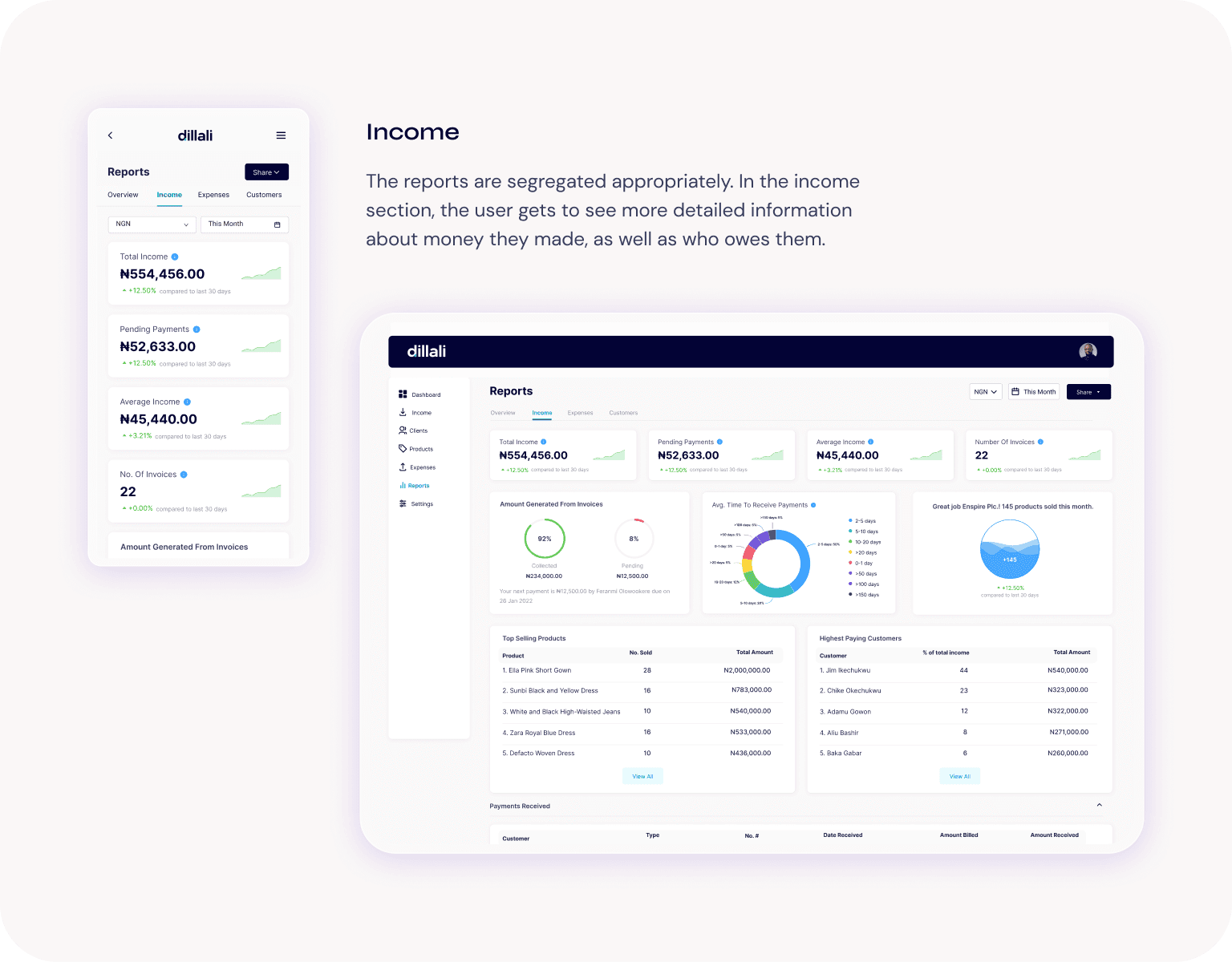
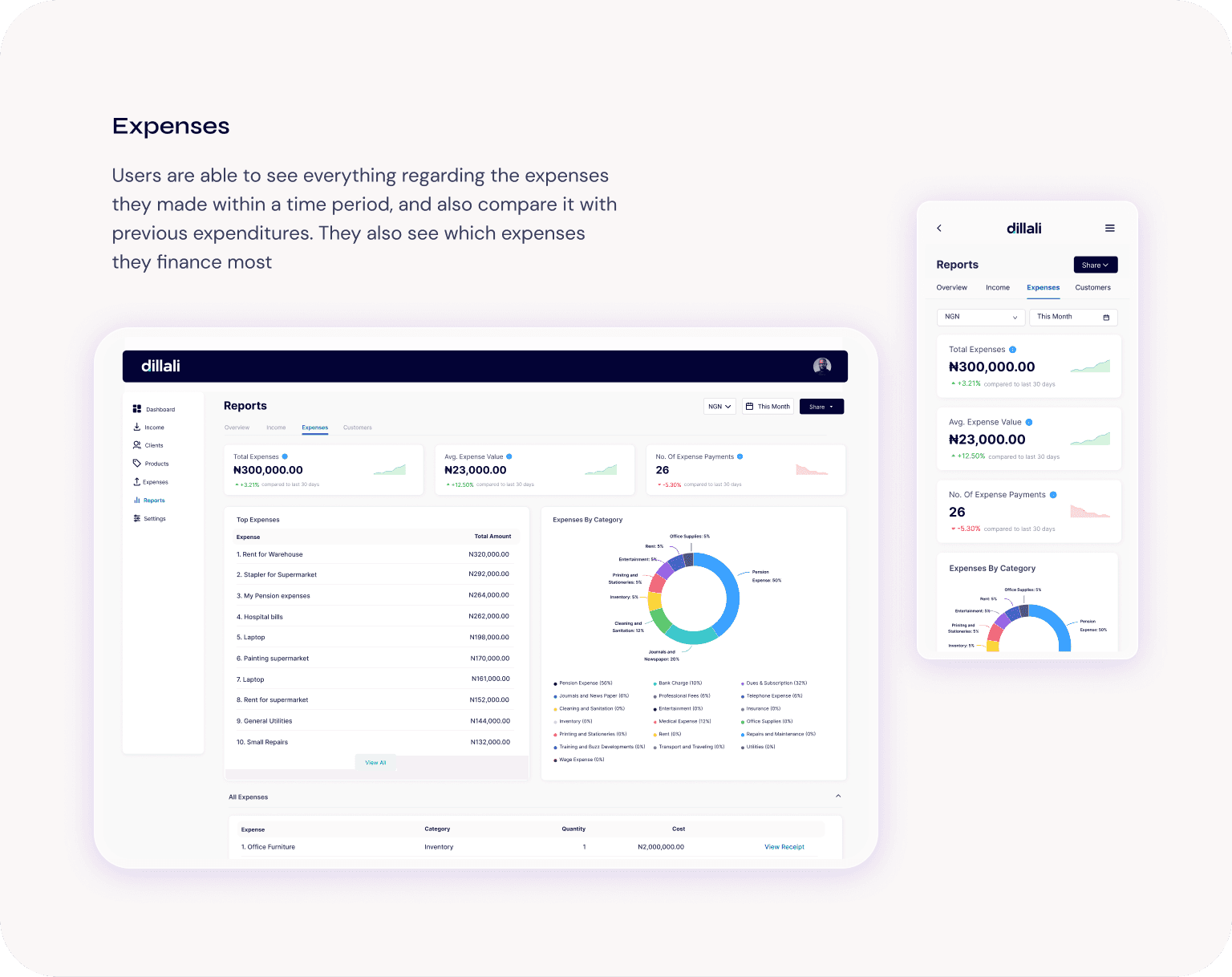
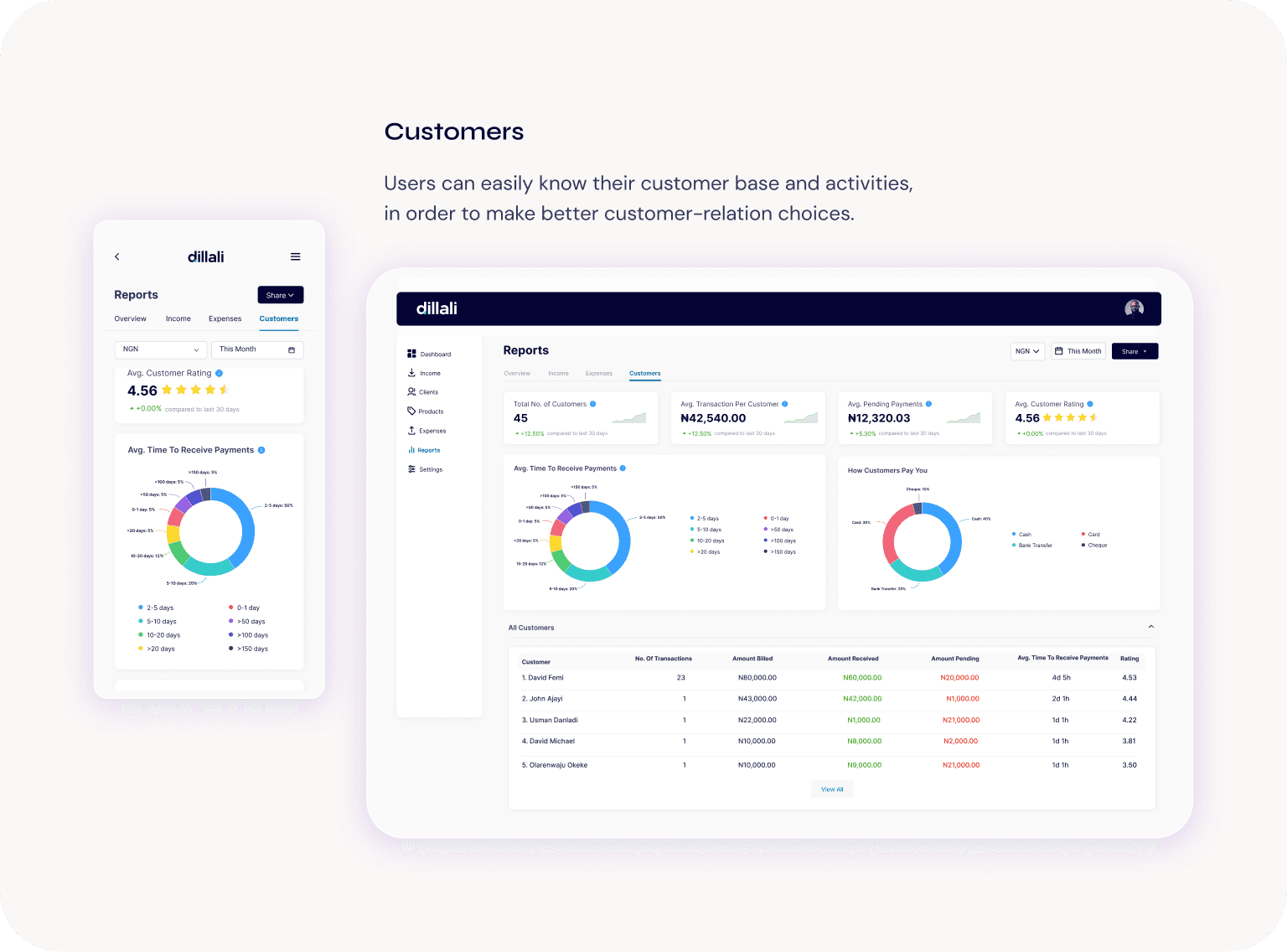
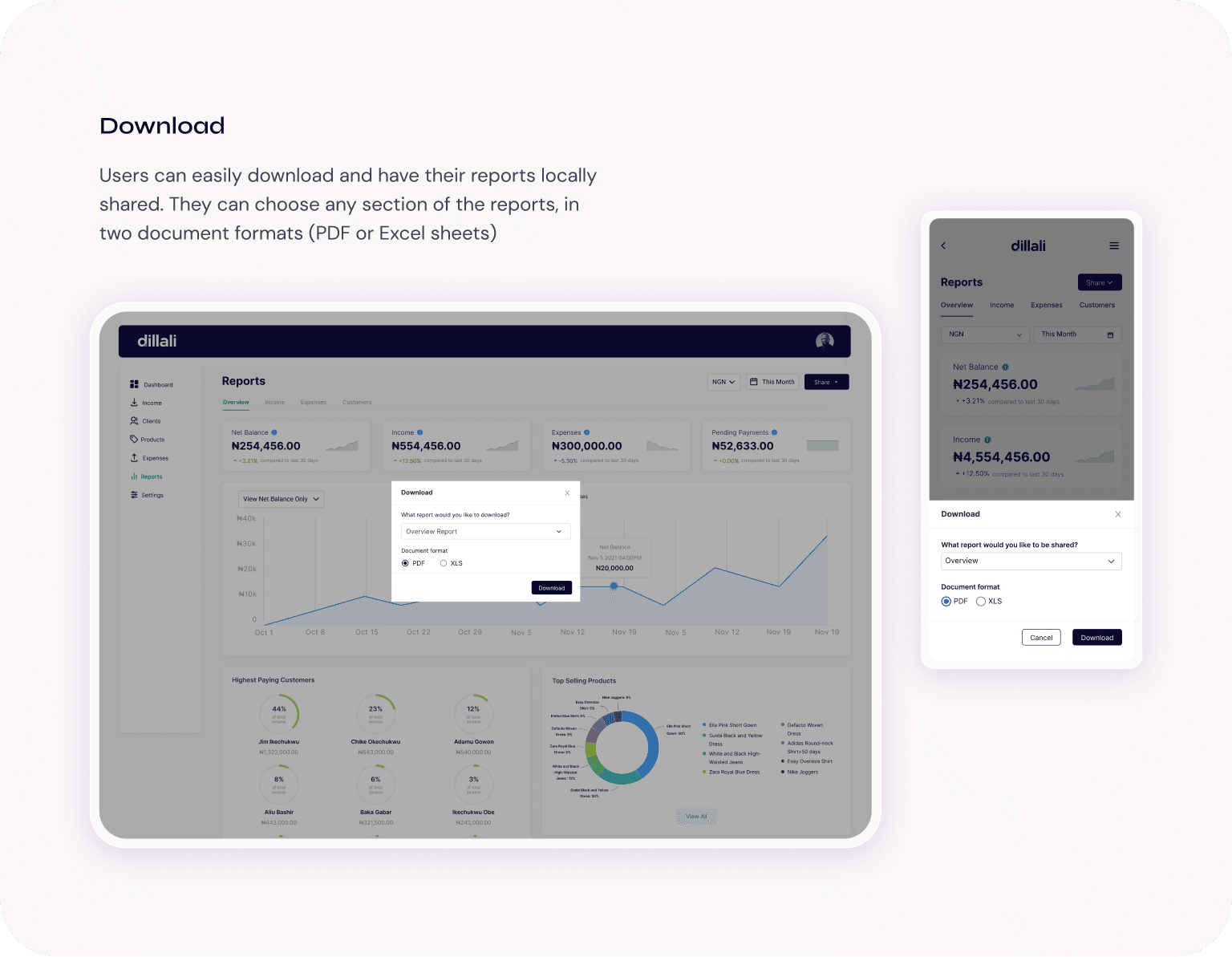
Usability testing
From the testing sprint, we found out that the general flow of the app was straightforward and clear to the users. However, we noticed that most of the edge cases came from some of the data visualization graphs used and also with some terms. To solve this issue, we simplified some of the terms and used tool tips to explain the ones we could not simplify. We also opted for simpler and more relatable graphs.
intentionally left blank
breathe.
i'm always open for a chat
whether it’s about building products that are intuitive, easy on the eyes, and full of personality… or just chatting about life, design, or literally anything at all.
Let’s talk. 👋🏽